Encrypted RCS messaging between iPhone and Android explained
Texts between iPhones and Android phones can be end-to-end encrypted since Apple and Google started rolling it out in beta on 11 May 2026, but only over RCS, with iOS 26.5 or later, the latest Google Messages and a supported carrier.

What changed in May
For years, iMessage between Apple devices was end-to-end encrypted, while texts between an iPhone and an Android phone were not. On 11 May 2026, Apple and Google announced that end-to-end encrypted RCS messaging was rolling out in beta between the two. On the iPhone it needs iOS 26.5 and a supported carrier; on Android, the latest version of Google Messages.
Both companies say encryption is on by default and will be switched on over time for new and existing RCS chats, so nobody has to sign up. 9to5Google reported that the rollout would take the coming months.
How to tell a chat is encrypted
Look for the lock. In Google Messages, encrypted chats with iPhone users show the same lock icon Android-to-Android chats already had. On the iPhone, an encrypted chat shows a lock and the word Encrypted next to Text Message and RCS in the middle of the screen.
On the iPhone, the switch is in Settings, Messages, RCS Messaging, called End-to-End Encryption (Beta), and 9to5Google says it is on by default.
When a chat stays unencrypted
Encryption needs every part to be ready. Your carrier has to support it: Apple's list for the US includes AT&T, T-Mobile, Verizon and smaller carriers such as Mint Mobile, Visible, Cricket and Xfinity Mobile. Everyone in the chat needs current software, and the Electronic Frontier Foundation (EFF) notes that until they do, that conversation isn't encrypted.
Plain SMS stays unencrypted. The EFF points out that only RCS chats get the encryption; a conversation that isn't over RCS shows no lock.
What encryption doesn't hide
End-to-end encryption means Apple, Google and the carriers shouldn't be able to read what you write. The EFF wrote on 12 May that metadata, such as who you message and when, is likely still collected.
Backups are a separate question. The EFF says iCloud backups of your messages may not be end-to-end encrypted unless you turn on Advanced Data Protection, and that Google Messages encrypts the text of messages in its backups but not photos and videos. For conversations that need more protection, including of metadata, the EFF suggests Signal where both people use it.
Why it's in the news again
On 23 November, AlternativeTo reported that GrapheneOS, a privacy-focused version of Android, has built an early test app for RCS with end-to-end encryption that is meant to work with Google Messages and with RCS on the iPhone. It isn't released; the team says what it learns will go into its upcoming messaging app.
It can talk to both because the encryption is a shared standard: the GSMA's RCS Universal Profile 3.0, which uses the Messaging Layer Security (MLS) protocol, according to the EFF.
What it means for you
If you text friends who use the other kind of phone, your RCS chats can now be encrypted without an extra app, but only when both phones are up to date and your carrier supports it; a missing lock means that chat isn't protected.
What to do
Update your iPhone to iOS 26.5 or later, or update Google Messages on Android. On the iPhone, check that End-to-End Encryption (Beta) is on under Settings, Messages, RCS Messaging. Look for the lock in each chat, and turn on Advanced Data Protection if you want your iCloud backups encrypted too.
How-tos from our channels
Search all how-tos ›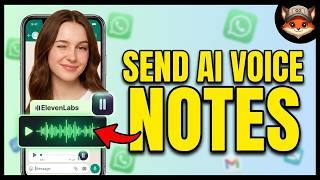
ElevenLabs and WhatsApp — How to Send AI Voice Messages That Sound Completely Human
ElevenLabs · Guide Glimpse

Private Internet Access VPN Firestick
Private Internet Access · Guide Glimpse
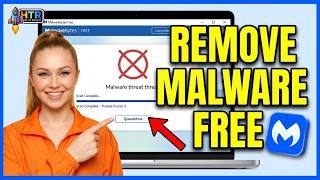
How to Use Malwarebytes Free Version in 2026 — 5 Things the Free Version Still Does Well
Malwarebytes · How To Rocket
Deals we checked
All 20 › ExpressVPN−81%Black Friday: 81% off 2 years + 4 extra monthsChecked on ExpressVPN's site, 25 Nov
 Surfshark−88%Black Friday: 88% off Surfshark One + 3 extra monthsChecked on Surfshark's site, 25 Nov
 NordVPN−78%78% off + 3 extra monthsChecked on NordVPN's site, 25 Nov
 Hostinger$1.99/moBlack Friday: up to 85% off web hostingChecked on Hostinger's site, 25 Nov
More app news
All app news ›- Explainer
iPhone storage full before the holidays: iCloud vs Google Photos
If your phone is close to full before a trip or a family gathering, you can free space without losing your pictures, as long as they're backed up and your cloud has room. Deleting the wrong way can remove a photo from every device.
- Explainer
Monitor refresh rate stuck at 60Hz: how to check it on Windows and Mac
If you paid for a 120Hz or 144Hz monitor or laptop, it may still be showing 60 pictures a second until the setting, cable or driver allows more. Checking takes a minute and costs nothing.
- Explainer
New Apple Health app explained: Insights, Longevity and Health Age
If you have an iPhone 15 Pro or newer and use Apple Intelligence, your Health app will look different after iOS 27.3, with daily summaries and a long-term Health Age score. On an older iPhone, the app stays much as it is.


We write every story in our own words from its source and check the facts before it goes up. Source: Apple, Google, 9to5Google, EFF, AlternativeTo.