Android sideloading verification goes worldwide from January 2027
Google will start requiring a verified developer for Android apps installed from outside the Play Store in every region from January 2027, Ars Technica reports, with the rollout to all devices taking several months. Until now the rule applied only in Brazil, Indonesia, Singapore and Thailand, where it began on 30 September 2026.

What it means for you
If you install apps from F-Droid, a game site or a developer's own page, an app from an unregistered developer won't install the usual way once the rule reaches your country. Play Store apps aren't affected.
What to do
Nothing to do yet. If you rely on an app from outside the Play Store, check whether its developer has registered; if not, the advanced flow in developer mode is the way to keep installing it.
The details
Developers verify with a government ID and a 25 dollar fee; Google says millions of apps from outside Play are already registered, covering more than 99 percent of Android app installs. It applies to certified Android devices. Students, teachers and hobbyists can share an app with up to 20 devices without an ID or fee through a limited distribution account. For apps from unverified developers, Google offers an advanced flow: turn on developer mode, restart, wait one day, confirm with your fingerprint, face or PIN, then allow such installs for 7 days or for good.
How-tos from our channels
Search all how-tos ›
How to Use GoLogin on Android in 2026 — GoLogin for Android Setup Most Users Skip
GoLogin · How To Rocket
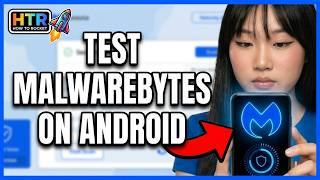
Malwarebytes Android Review 2026 Protection or Just a Permission Hungry App on Your Phone
Malwarebytes · How To Rocket

How to Install Airalo eSIM on iPhone and Android Easily
Airalo · How To Rocket
Deals we checked
All 15 › ExpressVPN−81%Black Friday: 81% off 2 years + 4 extra monthsChecked on ExpressVPN's site, 21 Nov
 Surfshark−88%Black Friday: 88% off Surfshark One + 3 extra monthsChecked on Surfshark's site, 21 Nov
 NordVPN−78%78% off + 3 extra monthsChecked on NordVPN's site, 21 Nov
 Hostinger$1.99/moBlack Friday: up to 85% off web hostingChecked on Hostinger's site, 21 Nov
More app news
All app news ›- Explainer
Digital ID at TSA explained: Apple Wallet, Google Wallet, state apps
If your state or passport is supported, your phone can get you through the ID check without handing over a card, but you still need the physical ID with you in case the reader, the airport or your battery doesn't cooperate.
- Explainer
iPhone Duo fold test explained: how many folds the hinge can take
If you own an iPhone Duo or are thinking about one, the longest machine test so far shows the hinge wearing before the screen, after far more folds than most people make in a few years; cracks near the hinge are a separate issue Apple replaces through AppleCare.
- Explainer
Parental controls on iPhone vs Android: setting up a kid's phone
If your child gets an iPhone, you'll manage it through Family Sharing and Screen Time; if it's an Android phone, through Family Link, which you can run from your own iPhone. Getting the birthday right on the child's account turns on most age-based protections for you.


We write every story in our own words from its source and check the facts before it goes up. Source: Android Developers, Android Developers Blog, Slashdot (citing Ars Technica).